

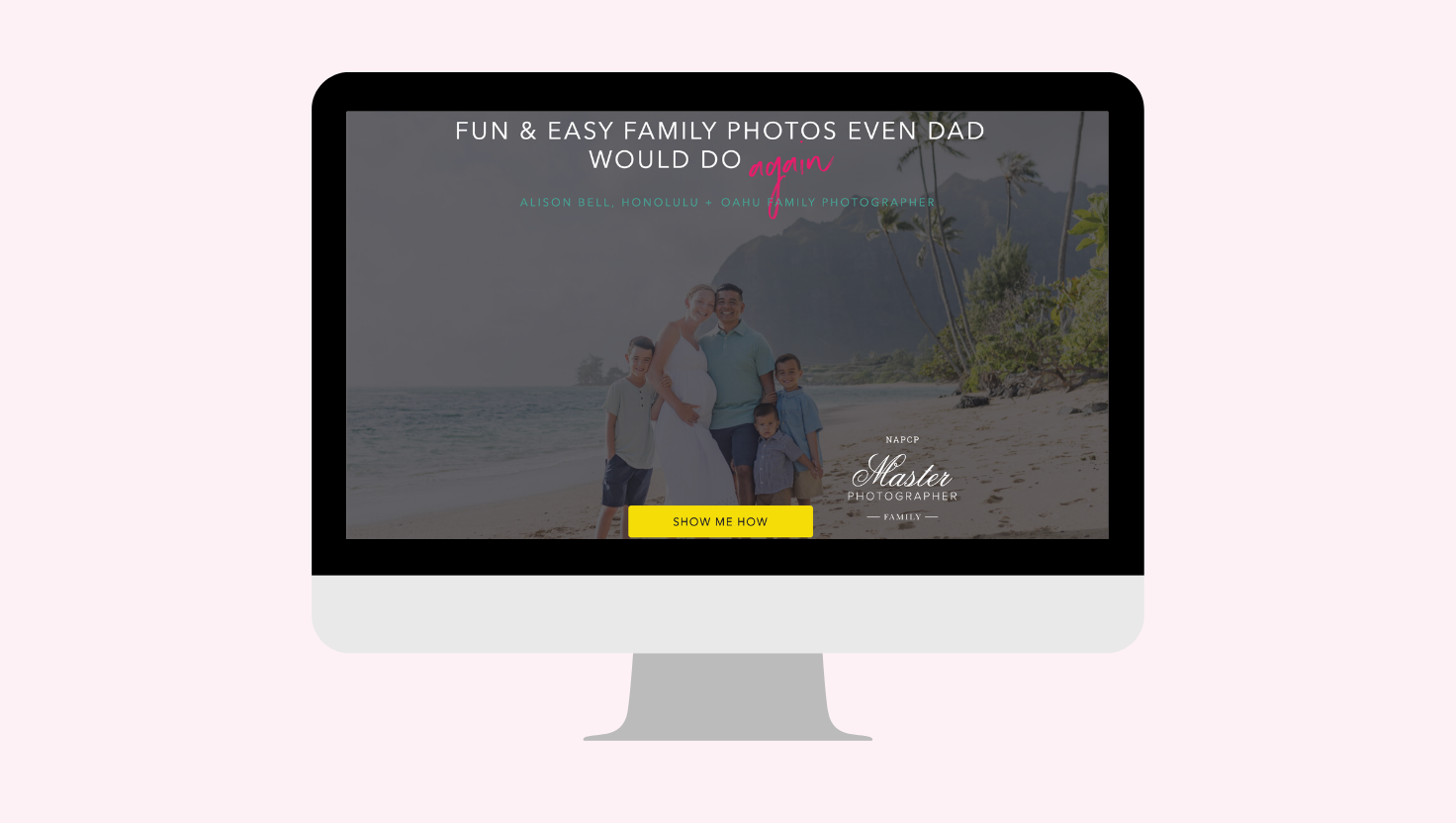

Photography website homepage ideas are not just about making your site look pretty.
Your homepage also needs the right structure, copy, SEO headers, and clear calls to action so Google understands what you do — and potential clients know exactly how to book you.
If you’ve been staring at your homepage wondering why it’s not converting — or why Google seems completely uninterested in it — you’re not alone. Melissa and I see this constantly: beautiful photography home pages with stunning images, two paragraphs of copy, zero direction, and a Google ranking to match. This post walks through exactly what your homepage needs — the structure, the sections, the copy strategy — so it works for both the algorithm and the real human sitting on their couch trying to figure out if you’re the right photographer for them.
Listen to the Podcast
Listen to the Get Booked Photography Podcast (Previously Keep It Moving) Whether you’re refining or completely relocating your photography business, this show is for you! We cover all the major topics from money, to relocating, marketing and more. Subscribe now on Apple Podcasts or Spotify.
Want the notes in writing? Get the Next Steps Notes straight to your inbox by clicking here.
Table of Contents
Why Most Photography Homepages Aren’t Working
Here’s the hard truth: most photography home pages are basically a really pretty portfolio slideshow with a contact button at the bottom. And while that might look good on Squarespace’s template page, it’s doing absolutely nothing for your SEO or your bookings.
Google can’t book a session. Google reads words. If your homepage has 300 words and half of them are “hello” and “welcome to my little corner of the internet,” Google has no idea who you are, where you are, or who you serve.
And your potential client? She landed on your page with a question in her mind — is this person right for me? If your homepage doesn’t answer that in about 10 seconds, she’s gone. She’s not emailing you. She’s back on Google looking at your competitor.
The goal of your homepage isn’t to show your best work. It’s to tell people where to go next.
The Framework: Think of Your Homepage Like a School Paper
This is Melissa’s analogy and it’s the one that actually clicks for people. Imagine you’re writing a paper about your business. You have a title — that’s your H1, your main keyword. Then you have sections — those are your H2s. And within those sections, you have supporting details — those are your H3s.
Your homepage is that paper. Google reads it like a professor grades it. If your outline is a mess, your grade (your ranking) reflects that.
Your H1 is almost always going to be your location plus your photography genre. One H1. That’s it. Don’t have eight of them. Don’t bury your keyword as an H2 while your Instagram handle gets the H1 (yes, this happens).
Design Headers vs. SEO Headers
This is where people get tripped up and I want to be really clear about it. There are two kinds of “headers” on your website.
There’s the visual design header — the big, bold, beautiful call-out text your designer made look amazing. And then there’s the SEO header tag — the H1, H2, H3 that tells Google how your content is organized.
These are not the same thing.
“We’ll capture your favorite moments” might look like a header in your design. But it doesn’t tell Google anything useful about your business, your location, or what you offer. It doesn’t earn an H2 tag. Your design can still make it look like a heading. Just don’t assign it a tag that’s supposed to be doing SEO work.
Your web platform may or may not give you control over this. Some don’t. Know what yours does before you assume everything is set up correctly.
The Sections Every Photography Homepage Needs
This is the framework. Use it. Customize it to your brand, your niche, your market. A boudoir photographer’s homepage is going to look different from a newborn photographer’s. But the bones are the same.
Meet the Photographer
Yes, you need an about section on your homepage. Keep it short — this isn’t your full About page. But people are booking you, not just a photographer. They want to know who you are and whether they’re going to like spending an hour with you. Make it relevant to them, not just a list of your hobbies. (Save the pumpkin spice latte stuff for your About page.)
Your Portfolio
Link to your genre or niche pages here. Don’t just dump every image you’ve ever taken onto your homepage. Direct them: families, newborns, maternity — whatever your work is. These internal links matter for SEO and for the human experience.
Social Proof
Have you been featured somewhere? Won an award? Earned a certification? Put it here. This is your homepage — you’re allowed to brag. Little badges, a line of logos, a few call-outs. It builds trust fast.
Client Experience
What do you offer beyond just showing up and taking pictures? Wardrobe styling? Hair and makeup? Wall art and albums? Mention it here. One or two sentences per thing. You’re not writing a brochure — you’re overcoming objections before they even form. This is where you start differentiating yourself from the photographer down the street who just Dropboxes a gallery link and disappears.
Reviews
Pull your best ones. A few sentences from a real client is worth more than any copy you’ll ever write. Design note: your review section will visually look like it has headers, but those pull-quote call-outs don’t need to be H2 or H3 tags. They’re design elements. Let them be.
Your Process
No more than five steps. My three-step process is plan, party, print. There is obviously a lot more that happens in between those steps. But that’s all a homepage visitor needs to see. Simplify it. Make it feel easy. The point isn’t to explain every detail — it’s to make booking feel approachable.
Recent Blog Posts
This one pulls double duty. Your most recent work shows clients you’re active. And fresh content on your homepage gives Google a reason to crawl it more often. Win-win.
Ready to Book CTA — Above the Footer
Your footer is a junk drawer. Navigation links, copyright info, maybe your social icons. Nobody’s getting emotionally moved to book a session because of a footer.
The section right above your footer is prime real estate. That’s where you hit them with the direct ask: are you ready to do this? Contact me. Let’s book. What are you waiting for?
Every Section Needs a Button. Yes, Every One.
Except reviews. But everything else? Give it a CTA button.
“Show me how.” “See more families.” “Let’s do this.” “Sign me up.” These don’t always have to link to a new page. Sometimes the button just scrolls them down to the next section. The point is that you are always, always directing them. You are never leaving them to figure out on their own what to do next.
Confused people don’t book sessions. They just leave.
How Much Copy Does Your Homepage Actually Need?
At minimum, aim for 800–1,000 words. I know that sounds like a lot when you’re sitting there thinking “I just want to show pictures.” But here’s the thing — when you have all the sections we just talked about, you get there without even trying hard.
Meet the photographer: 150 words. Process section: 100 words. Experience section: 100 words. Recent blog posts with titles: another 50. It adds up.
And every word is an opportunity to naturally work in your keyword — your location, your genre, what you do. That’s not keyword stuffing. That’s just doing the work.
A Quick Note on Customizing This Framework
These are the rules. Now break them appropriately.
Your brand is yours. If you’re a fun, bold, colorful photographer with GIFs and arrows all over your website (hi, that’s me), your homepage is going to look different than someone with a clean, minimalist, film-style aesthetic. That’s fine. The visual design is yours to own.
But the structure underneath — the H1, the sections, the CTAs, the word count — that’s not optional. That’s the part Google cares about. That’s the part that gets you found.
Ready to Actually Fix Your Homepage?
Pull it up right now. Not after you finish your coffee. Right now.
Count your sections. Do you have a process? Reviews? A CTA above the footer? Is your H1 your keyword? If you’re missing three or more of the things we covered, that’s your work for this week. Pick one section. Write it. Add it.
Your photography homepage designs aren’t going to optimize themselves.
If you want help walking through this with someone who’s done it — across five states and Okinawa — that’s what mentoring is for. Head to alisonbell.co to learn more.

The “Wild Card”
That’s what he said. “The good news is you’re doing everything right. The bad news is you’re already doing everything. You’re a bit of a wild card.”
I’ve relaunched my photography business 7 times. From being all-inclusive photographer charging just $150 to running a six-figure business where clients happily invest thousands per session, I’ve experience the full spectrum of this industry – all on my own.
Now I’m help other photographers move faster, and make more – more money, more clients, more freedom. Book a Free 15 now!
More Resources for Photographers
- Instagram Reels Photography Content: The B-Roll Bank That Saves You When Life Gets Busy

- Photography Blog Ideas: The 3 Types of Posts Every Photographer Needs

- Photography Website Homepage Ideas: What Your Homepage Actually Needs to Rank AND Book
- How to Work From Home With Kids — And Actually Get Things Done

- The 5 Photographer SEO Mistakes Sabotaging Your Website (And How to Fix Them Today)

- How to Price Photography: The Strategy That Stops Clients From Running


I'm a USMC spouse, South Carolina native, recovering homeschool mama of a 4 boy circus. They've taught me the most important facet of family photography: KEEP IT FUN!
Alison's Process
contact Alison