


If you’ve been uploading images straight from your camera to your blog and calling it a day, your SEO photography website is quietly working against you. Slow load times, missed ranking opportunities, and a Google algorithm that has absolutely no idea what’s in your photos — that’s what skipping image optimization for SEO costs you. The good news? This is one of the most fixable problems on your website.
In this post, Melissa Arlena (our resident SEO expert for photographers) and I are breaking down everything: what image SEO optimization actually means, file naming, sizing specs, image SEO tools, alt text best practices — plus the real-life hacks we actually use in our own workflows.

That’s me, Alison, on the right with the camera. I’m a six-figure IPS photographer who has rebuilt my business seven times. On the left is my co-host Melissa, the SEO expert for photographers.
Across 100+ episodes of Get Booked, we’ve answered hundreds of the questions photographers actually ask: how to get found on Google, what to charge, how to fill a slow season, and so much more
Start with this episode. Then hit Follow so you never miss a Monday.
Table of Contents
What Is Image Optimization for SEO?
Let’s start here, because this term gets thrown around a lot without a clear definition.
Image Optimization for SEO is the process of improving your website images so that search engines can find, understand, and rank them — while also keeping your page loading fast for visitors. It covers everything from how you name your image files before you upload them, to the pixel dimensions and file size you export at, to the alt text you write for every single image on your site.
For photographers, this matters more than it does for almost any other type of business — because your website is made of images. Every gallery, every blog post, every homepage section is image-heavy. That means image SEO best practices either multiply your visibility or multiply your problems, depending on whether you’re doing them.
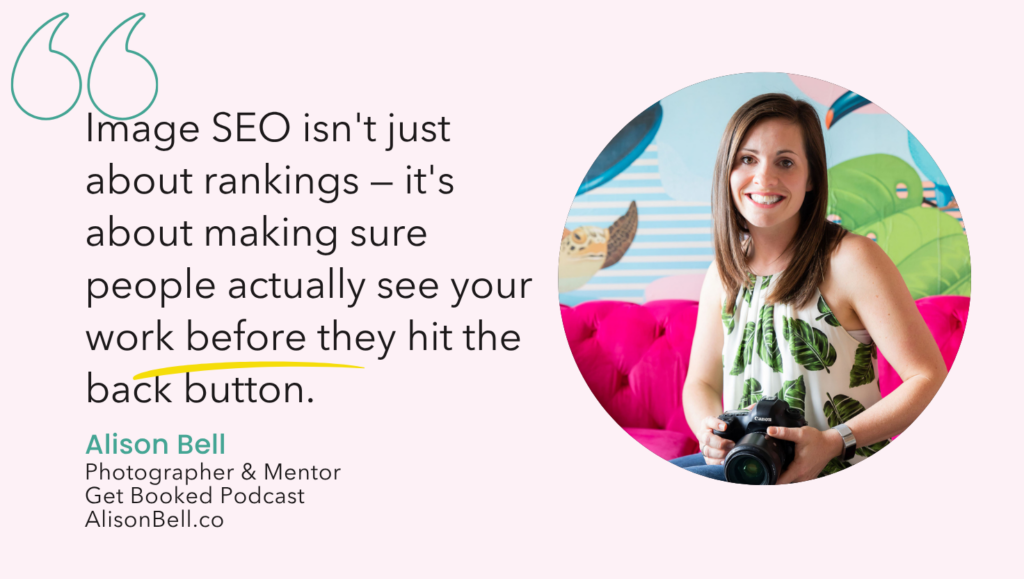
Image SEO optimization isn’t just about Google ranking your images in search results (though that’s a real bonus). It’s also about making sure your page loads fast enough that people don’t hit the back button before they even see your work.
Why Image SEO Matters for Your Photography Website
There are two things happening when you upload an unoptimized image to your SEO photography website, and neither of them is good.
First: your page speed takes a hit. Google cares deeply about how fast your site loads — because slow sites make people leave. You’ve done it yourself. You clicked a link, waited three seconds, and hit the back button. That bounce signals to Google that the page didn’t deliver a good experience, and your rankings suffer. Images are the number one cause of slow load times for photography websites.
Second: Google can’t actually see your photos. It needs text signals to understand what an image contains. Without proper file names and alt text, Google is looking at your beautiful portfolio and seeing nothing. It has no idea you’re a newborn photographer in Richmond or a family photographer in Honolulu. You’re invisible in image search — which is still a very real source of traffic.
Google Image Search Is Real Traffic — And It’s Trackable
Melissa wanted to dominate image search for specific wedding venues so that whenever a couple searched that venue, her photos were the ones they saw. That’s not a vanity play — it’s a targeted SEO strategy. And it works because people search with their eyes. They want to see the venue before they book it.
The flip side? Listen to the episode to hear the opposite story — Melissa shares what happened when a client ended up ranking for adult websites because of a single typo in two image file names. It is as bad as it sounds. If wrong file names can rank you for the completely wrong thing, right file names can rank you for exactly the right thing.
You can monitor your image search performance monthly in Google Search Console under the overview tab. If you’re not checking it, start.
Image SEO Best Practices: The Complete Checklist
Here is every best practice from our episode, organized so you can run through it every time you prep images for your photography website or blog.
File Naming
Straight out of camera, your file names mean nothing to Google. DSC_4521.jpg tells it zero things about who you are, where you shoot, or what’s in the image. You have to rename before you upload — and the rename has to be descriptive.
The file naming formula: [session type or subject] + [location] + [descriptor or variation] + [number]
Examples:
- sleeping-newborn-baby-girl-richmond-studio-session-01.jpg
- jones-family-richmond-newborn-session-02.jpg
- maternity-session-veritas-winery-charlottesville-01.jpg
A few rules that matter:
- Use hyphens between words — not underscores. Google reads hyphens as word separators; it does not read underscores that way.
- Include both session type and location whenever possible
- Use your secondary keywords across the image set — vary them so the same phrase isn’t repeated identically on every file
Image Size for SEO (Sizing Specs)
Choosing the right SEO image size for your website is one of the most impactful things you can do for page speed. Here are the numbers:
| Image type | Long edge | DPI | Target file size |
|---|---|---|---|
| Standard blog / website images | 2000px | 72 | Under 500KB |
| Full-width background / header | 2600px | 72 | Under 500KB |
| Small inline / vertical images | 900px | 72 | Under 500KB |
| Client delivery (print quality) | Full resolution | 240–300 | No restriction |
The goal is under 500KB per image. Yes, that’s larger than what some checkers will tell you — some say under 100KB, which isn’t realistic for photography without destroying quality. The game is getting it as small as possible without it looking like trash. Your clients won’t notice the quality difference between a 5MB file and a 500KB file. But they will absolutely notice if your page takes five seconds to load.
Alt Text
Alt text is the written description attached to every image on your site. It does two things: it helps visually impaired users experience your site through screen readers, and it gives Google the text context it needs to understand what an image is about and rank it.
Alt text rules:
- Keep it under 125 characters
- Describe what’s actually in the image — specifically
- Include your keyword naturally — not forced
- Do NOT start with “image of” or “photo of” — Google already knows it’s an image
- Do NOT use the same alt text on every image — that looks like keyword stuffing
The progression from bad to good:
❌ IMG_4521.jpg 😐 newborn photo ✅ sleeping newborn baby girl wrapped in pink during studio session in Charlottesville

The Hacks We Actually Use (From Our Own Workflows)
This is the stuff that doesn’t always make it into the “official” best practices — but it’s what makes image SEO optimization sustainable in a real business.
Hack #1: Set Up Lightroom Export Presets for Each Use Case
Neither of us is manually renaming and resizing images one at a time. We’ve built the SEO work into our Lightroom export presets so it’s automatic.
Alison’s workflow: she exports blog post images to a single dedicated folder with the target keyword built into the file name formula. Then she goes into that folder before uploading and tweaks each name to add location details, secondary keywords, and variations. The preset handles the sizing; she handles the specificity.
Melissa’s workflow: she has separate export presets for client delivery (full quality), website/blog use (2000px, 72 DPI), and social media — and you can select multiple presets in Lightroom and export all three versions simultaneously with one click. One session, three folders, done.
Set up presets for at minimum: client delivery, web/blog, and social. Label the web folders clearly — either with “web-only” or the actual pixel dimensions in the folder name — so you never accidentally grab a web file for print.
Hack #2: Name Client Gallery Files with SEO Keywords Too
Melissa delivers client galleries with keyword-rich file names. So her clients receive files named something like jones-family-richmond-newborn-session-02.jpg — and when those clients post their photos to social media or share them anywhere online, those keyword-rich file names travel with the images. It’s SEO that extends beyond your own website.
Hack #3: Use Secondary Keywords Across Your Image Set
When Alison worked on a blog post about things to do with teenagers in Oahu, her primary keyword was “Oahu with teens” — but she varied her image file names and alt text across the whole post to include secondary terms like “paddleboarding things to do with teenager,” “snorkeling Oahu teens,” and “Kava things to do Oahu.” All similar, all different enough, all building keyword coverage without repetition.
The same principle applies to alt text. Melissa’s rule: instead of writing “Charlottesville newborn session” on every single image, rotate through variations — “Charlottesville newborn photos,” “newborn photography in Charlottesville,” “newborn session Charlottesville photographer.” You’re covering the same keyword family across multiple phrases.
Hack #4: Organize Export Folders Before You Upload Anything
Alison keeps separate folders for every blog post’s exported images, client galleries, and print files. This prevents the wrong file from going to the wrong place and keeps the front-end workflow clean. If you’re finding yourself confused about which export goes where, this is the fix.
Image SEO Tools Worth Knowing
Once your workflow is set up, these image SEO tools help you catch files that are still too large and compress them without wrecking quality.
JPEG Mini — a Lightroom plugin (and standalone app) that compresses file sizes significantly below what standard Lightroom export produces. Melissa uses it both for her own work and for client SEO projects when the exported images are still coming in too large.
Shortpixel — a compression tool popular with WordPress users.
TinyPNG — free, web-based, and easy for one-off images that need an extra squeeze.
Google Search Console — not a compression tool, but the place where you can see your image search traffic monthly. It’s also where problems surface, like Melissa’s client whose misspelled image file names were generating unexpected (and deeply unfortunate) search traffic.
A note on platform auto-compression: Squarespace, Showit, and similar platforms do compress images automatically — and WordPress is moving toward WebP file formats for better compression. This is helpful, but it’s not a substitute for exporting correctly on your end. Think of it as a safety net, not a strategy.

Alt Text: The Part Most Photographers Skip (Please Stop Skipping It)
We said it above but it deserves its own section because the skip rate on this is high — including from us at various points in our businesses.
Alt text exists for two reasons: accessibility (screen readers for visually impaired users need it to describe your images) and SEO (Google needs it to understand what your images are and rank them). On an SEO photography website, where images are everywhere, skipping alt text means leaving enormous amounts of SEO value on the table.
Here’s what Melissa writes for a maternity session at a winery: “mom looking at pregnant belly at Veritas Winery.” Here’s what she writes for a newborn: “sleeping baby in crib at Charlottesville newborn session.” Specific, descriptive, location-included, keyword-natural.
The thing to avoid: using the same alt text on every single image. Alison’s old habit was exporting with a target keyword in the file name, then using a plugin to auto-populate alt text from the file name — which meant every image had essentially the same phrase. Google reads that as keyword stuffing. Vary it. Same keyword family, different phrases, every image.
Your Ready-to-Use Image SEO Optimization Checklist
We pulled everything from this post — file naming, sizing specs, alt text rules, and workflow organization — into one printable checklist you can keep next to your monitor and run through before every single upload.
More Resources for Photographers
- Black Friday Deals for Photographers: What’s Actually Worth Buying (and What to Skip)

- Instagram Reels Photography Content: The B-Roll Bank That Saves You When Life Gets Busy

- Photography Blog Ideas: The 3 Types of Posts Every Photographer Needs

- Photography Website Homepage Ideas: What Your Homepage Actually Needs to Rank AND Book
- How to Work From Home With Kids — And Actually Get Things Done

- Blogging for Photographers: The 3 Types of Posts You Need (And the Mistake That’s Hurting Your SEO)



I'm a USMC spouse, South Carolina native, recovering homeschool mama of a 4 boy circus. They've taught me the most important facet of family photography: KEEP IT FUN!
Alison's Process
contact Alison